VLAN Trunking Protocol VTP Tutorial
As a network grows and VLANs need to be added, renamed, or removed, manually repeating the same change on every single switch quickly becomes impractical and error-prone. VLAN Trunking Protocol (VTP) is Cisco’s proprietary solution to this problem: it lets an administrator configure VLAN changes on one switch and have that information automatically propagated to every other switch in the network, which cuts down on configuration mistakes and makes VLAN management far simpler across a multi-switch topology.
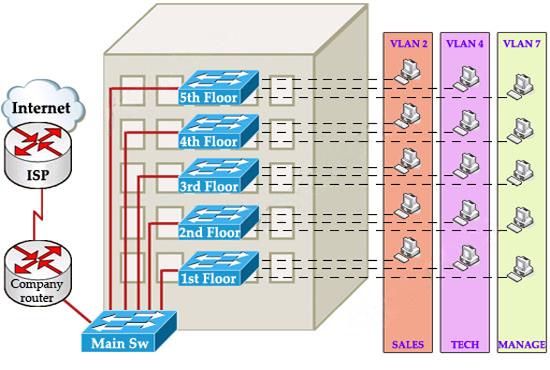
How VTP Works
For switches to exchange VLAN information through VTP, they must first belong to the same VTP domain. Within that domain, switches send out VTP advertisements carrying the current VLAN database, and each advertisement carries a revision number that identifies how current the information is — a higher revision number always means newer information. When a switch receives an advertisement with a higher revision number than what it already has, it does not merge the two databases selectively; it simply replaces its entire VLAN database with the one it just received.
VTP advertisements are sent out as multicast frames, reaching every switch that belongs to the same domain.
The rest of this article is for members
The full walkthrough, configuration examples and verification steps are available exclusively to paid members.
View membership plans Log in