Wireless Tutorial
This tutorial covers the wireless networking concepts that show up on the CCNA exam: how a WLAN works at a basic level, the IEEE 802.11 standards, the two modes a WLAN can run in, how radio signals get encoded, the security standards built around Wi-Fi, and the everyday sources of interference that can disrupt a wireless network.
Wireless LAN basics
A Wireless LAN (WLAN) lets devices communicate without a physical cable — something most people already rely on daily through a laptop or phone. Here’s roughly what a simple WLAN looks like:
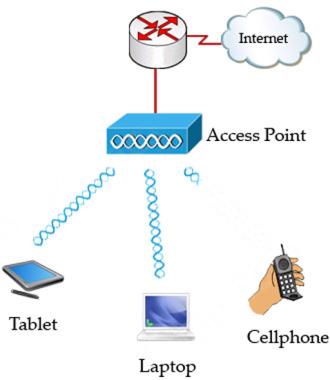
Every WLAN needs a wireless Access Point (AP) to send and receive data for connected clients. A wired network can send and receive at the same time (full-duplex), but a wireless network can’t — it’s half-duplex — which is part of why an AP is sometimes called a “wireless hub.”
The core difference between a wired LAN and a WLAN is the medium itself: a WLAN carries data as radiated radio waves rather than electrical signals over copper.
Because a wireless device can’t transmit and listen at the same time, WLANs can’t use CSMA/CD (the collision-detection method wired Ethernet relies on). Instead they use CSMA/CA — Carrier Sense Multiple Access with Collision Avoidance — which works like this:
- Listen first to confirm the medium is free; if it is, wait a random backoff time before sending.
- Once that random time elapses, listen again — if the medium is still free, send; if not, pick another random wait and try again.
- Wait for an acknowledgment confirming the data arrived.
- If no acknowledgment comes back, resend the data.
The rest of this article is for members
The full walkthrough, configuration examples and verification steps are available exclusively to paid members.
View membership plans Log in