How a Router Chooses a Route: Forwarding Tutorial
It’s common knowledge that once a packet arrives at a router interface, the router forwards it toward its destination. But how does the router actually decide which route is the best one to use? This tutorial walks through exactly how a router makes that forwarding decision.
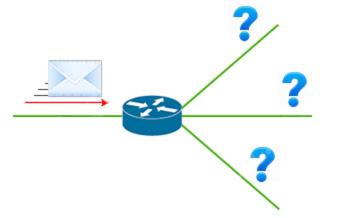
To make that decision, the router first has to build a table holding all of its best routes. Then, when a packet actually arrives, all it has to do is check that table for the best match. That table is the routing table.
So what does a routing table actually contain? Here’s a look via the show ip route command, which displays the local router’s routing table:
R1# show ip route
--output omitted--
D    192.168.20.0/26 [90/24513456] via 10.10.10.1
R    192.168.20.0/24 [120/5] via 10.10.10.2
O    192.168.0.0/19 [110/219414] via 10.10.10.13
D    192.168.20.0/27 [90/4123710] via 10.10.10.12
D    192.168.20.0/25 [90/14464211] via 10.10.10.11
S*   0.0.0.0/0 [1/0] via 10.10.10.14
A few things worth noting about this routing table:
- There are several entries for 192.168.20.0 with different prefix lengths (subnet masks) — /26, /24, /19, and so on. That’s completely normal: routes with different prefix lengths are treated as different routes, even when the network address looks the same.
- These 192.168.20.0 routes were learned through different routing protocols, shown by the letter at the start of each line — “D” for EIGRP, “O” for OSPF, “R” for RIP.
- The next hop for each entry is the IP address that follows “via” — here, 10.10.10.1, 10.10.10.2, 10.10.10.13, and so on.
The rest of this article is for members
The full walkthrough, configuration examples and verification steps are available exclusively to paid members.
View membership plans Log in